
When it comes to securing your home, there are usually two paths you can take. You can either shell out thousands of dollars for a professional installation team to run hardwired cables through your walls, or you can go the DIY wireless route and end up suffering from “battery anxiety”, having to constantly take cameras down to charge them every few months.
eufy has pretty much solved both problems with their latest cameras: the eufyCam S4 and the SoloCam E42.
Packed with crisp video resolution, 360-degree coverage, AI tracking, and built-in solar panels that offer essentially infinite power, these two units give you comprehensive home protection without needing to call an electrician or pay ongoing monthly subscription fees.
Pre-Installation & pair first, mount second
The eufy cameras come with everything you need out of the box. eufy has even given you all the hardware to mount the devices, and a positioning sticker to boot. That’s everything to install your cameras: just BYO a screwdriver and/or drill.
Unboxing the eufy SoloCam E42. (Photo: techAU)
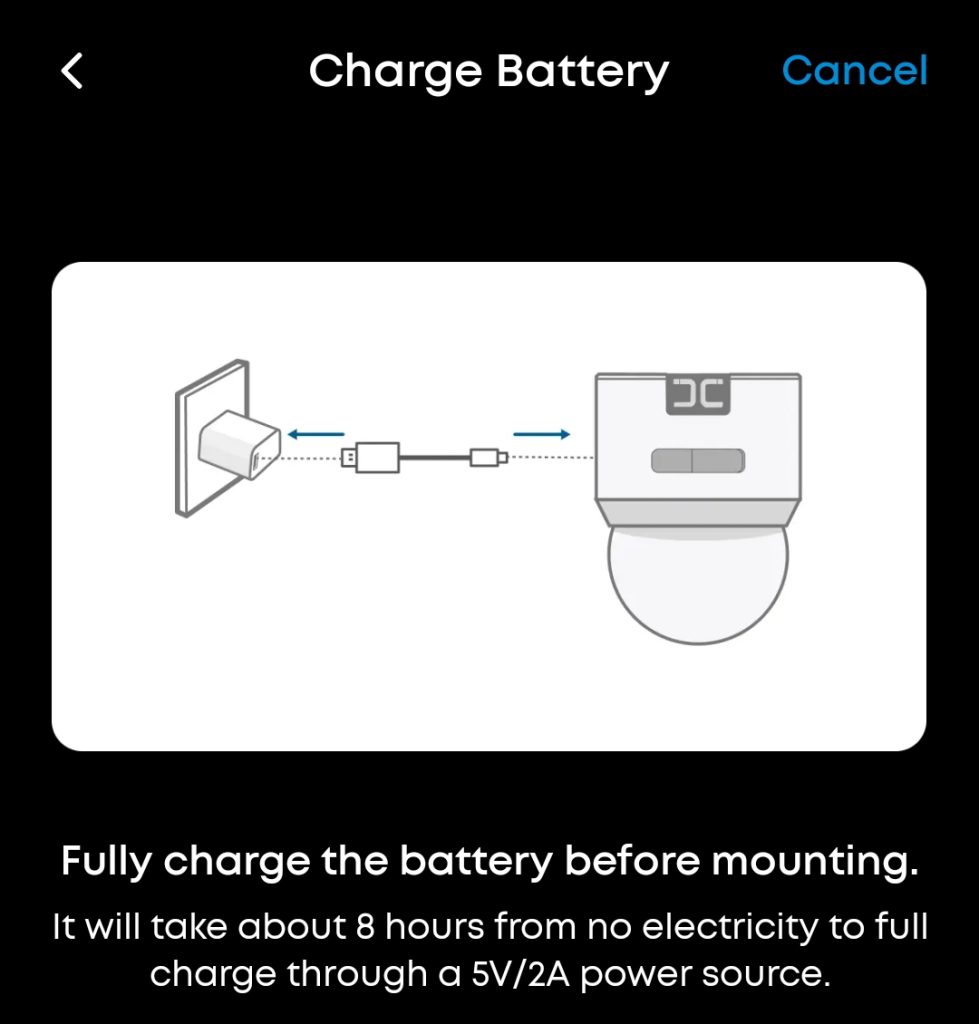
One pro tip: always turn on and pair your cameras before climbing up any ladders. Make sure the cameras are fully charged before installing too. Whilst charging the cameras, I started doing the app installation and pairing.
Unboxing the eufyCam S4 (Photo: techAU)
The setup process in the eufy app is remarkably slick. It guides you step-by-step through pairing the devices, complete with clear diagrams and tips on optimal camera angles and mounting heights. During setup, the app even asks you to walk the camera out to your intended mounting location to run a quick Wi-Fi signal test, saving you from installing a camera in a wireless dead zone.
Once paired, you can hold the live view up on your phone while physically holding the camera against your eaves or fascia. This lets you confirm the viewing angle before drilling a single hole. eufy also includes mounting template stickers in the box to ensure your screw holes line up perfectly, alongside official eufy security stickers to warn off any potential intruders before they even attempt anything silly.
Hold the camera in position to see what it looks like before drilling. Here, I have my husband Max mounting it, whilst I’m checking what it looks like on the app. (Photo: techAU)
Front security: eufyCam S4
The eufyCam S4 is the larger, heavy-duty unit of the two, making it an ideal choice for monitoring the front of your house, driveway, or street access. It has a fixed 2K lens, and an auto-tracking, 360, auto-zoom, and auto-focus camera.
Dual-Lens power and smart tracking
The highlight of the S4 is its dual-lens system:
Top Fixed Camera: Keeps a permanent, wide-angle eyes-on view of your main primary zone.
Bottom Pan & Tilt Camera: Features 360-degree motion, auto-tracking, auto-framing, and optical zoom.
In testing around the front yard, the tracking worked smoothly. It picked up people and vehicles effortlessly, automatically zooming in and tracking cars as they moved down the street. It’s even crisp enough to easily read license plates.
You can lock in a default “home” position for the tracking camera. Once it finishes following a person or vehicle, it automatically pans back to your designated resting angle, ensuring no blind spots are left unattended. I really liked this feature.
Weatherproofing and solar setup
The unit comes with side-securing screws that lock the camera tightly into its mounting bracket, giving you peace of mind that it won’t wobble or shift during heavy winds.
These are great solar panels, and come with some helpful tips attached, literally! (Photo: techAU)
Because of specific roof designs or sun angles, you might need to get a little creative with the solar panel positioning. The generous length of the included waterproof cable makes it easy to mount the solar panel slightly further away on the roof where it catches maximum sunlight, while routing the cable neatly out of sight.
eufyCam S4 mounted under our roof. In this shot, we don’t have the solar panel wired up yet as it needed some rather creative mounting under these old-style eaves. (Photo: techAU)
Note: Make sure your solar panel is connected right away. If left running solely on battery during initial installation, the high-def dual-lens tracking can draw noticeable power overnight (around 20%), so getting that solar charge flowing early is key.
Backyard coverage: eufy SoloCam E42
For secondary perimeter zones, side alleys, or backyards, the eufy SoloCam E42 offers a slightly more compact footprint while maintaining top-tier functionality.
Compact & flexible mounting
The eufy SoloCam E42 features a smaller, streamlined solar panel that sits unobtrusively on the roofline. Its bracket design allows for top- or side-mounting, giving you plenty of flexibility whether you are attaching it to timber fascia, brickwork, or under roof overhangs.
eufy SoloCam E42 mounted under the eave, and the solar panel mounted on top of our little patio roof. (Photo: techAU)
Like the S4, the E42 offers full 360-degree panning controlled directly via the app, alongside AI motion tracking to follow activity across your yard before returning automatically to its baseline position.
Local storage and no subscription fees
One of the best aspects of the SoloCam E42 (and eufys broader ecosystem) is local storage capability via a built-in SD card slot. Your video clips stay stored locally on your device or hub rather than stuck behind a monthly cloud subscription paywall. That means zero ongoing fees and total privacy over your footage.
App features and daily usage
The eufy Security app centralises all controls seamlessly:
Live Power Monitoring: View live battery percentages for each camera and verify real-time solar charging inputs. According to eufy, as little as two hours of direct sunlight per day is enough to keep these units continuously powered indefinitely.
Live Controls: Pan and tilt the cameras manually, trigger two-way audio, switch on the built-in spotlights, or activate the loud onboard security siren if required.
Smart Security and Encryption: You can share access with family members or housemates while protecting recordings using custom vault encryption passwords.
Customisable Recording: Adjust motion detection sensitivity, customise auto-recording durations, or tweak battery-saver profiles to fit your property layout.
https://techau.com.au/eufycam-review/